
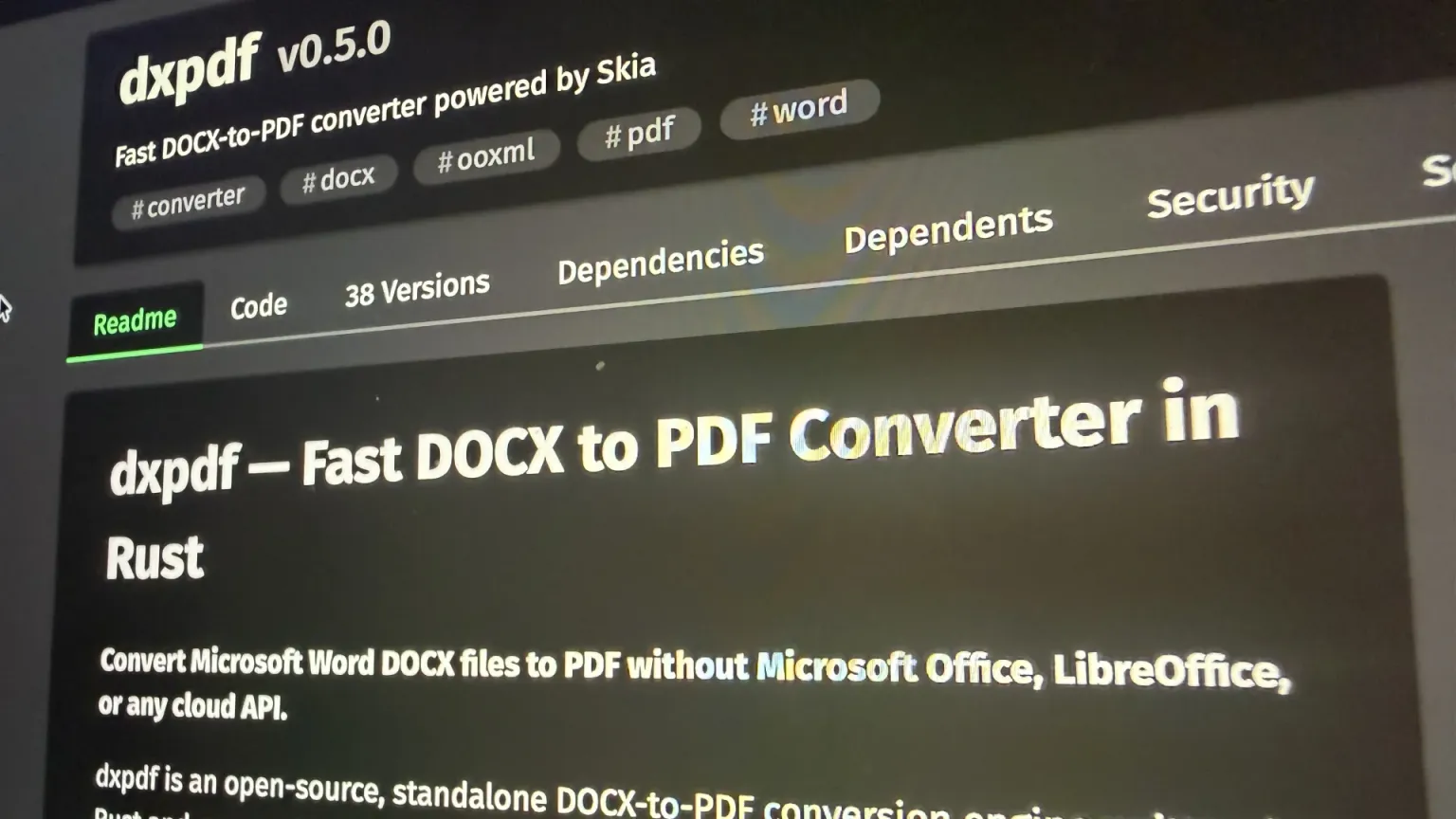
dxpdf turns .docx files into PDFs. No Microsoft Office, no headless LibreOffice, no cloud API — one Rust binary that parses the OOXML directly and paints the result through Google's Skia. We built it because the alternatives all made us choose between fidelity, speed, and not shipping customer documents to a third party — and because the one we actually ran, headless LibreOffice, turned out to be a desktop application we were babysitting in production.
Version 0.5.0 shipped on 11 August. It is the release where the converter stopped assuming, in a dozen small places, that the document it was handed is written in English.
Key takeaways
- 0.5.0 is an internationalization release. UAX #14 line breaking (including Thai, Lao, Khmer and Burmese), UAX #9 bidirectional text with rule L4 mirroring, and CLDR-driven numbers and dates that follow the document's own
w:lang. - The first outside contribution landed — @ikashapov added Russian numbering formats, comment-reference parsing, and three list-label fixes.
- Locale data ships as one trimmed blob, loaded through
icu_provider_blobrather than each ICU4X crate's built-incompiled_data, because "correct in every locale" should not mean "and the binary is now enormous." - Font resolution, not document size, decides what a conversion costs — a 9-page, 1.3 MB document converts in 55 ms while a 3-page, 34 KB one takes 170 ms, and the entire difference is how their fonts resolve.
- Coverage against ISO 29500 is now 74 features fully implemented, 11 partial, 12 not yet supported — and that last column is the most honest roadmap we can publish.
- It replaced a headless LibreOffice pipeline — a desktop suite behind a queue, a watchdog, and a profile directory per worker. What that cost is below.
- dxpdf is MIT-licensed and open source, on crates.io and PyPI, and it now ships a
.debtoo.
Thank you to our first outside contributor
0.5.0 is the first dxpdf release with a New Contributors section, and it is a good one to start with. @ikashapov landed #118: parsing for w:commentReference, the russianUpper and russianLower numbering formats, and fixes for three separate list-label layout and numbering defects.
That is not a drive-by typo fix. Numbering formats are exactly the kind of feature that only gets found by someone whose documents actually use them — a Russian-language contract with an а)/б)/в) list is not something that turns up in a fixture set assembled in English, and the three label defects it uncovered were real bugs sitting in the layout path for anyone else with the same document shape. Thank you.
If you are reading this and dxpdf mangles something in your documents, that is the contribution we want most. More on that at the end.
What we ran before: headless LibreOffice
Before dxpdf there was soffice --headless --convert-to pdf, wrapped in a queue and a retry, like most document pipelines. It works, and for a long time it was the right call — nothing else converts DOCX with that much fidelity for the price of an apt install. What it is not is a component you can put in a request path and stop thinking about:
- It is a desktop application in server costume. There is no library API and no in-process call: you launch a binary, read an exit code, and hope — from the outside, a failed conversion and a crashed process look much the same. The first conversion in a fresh process also pays for starting an entire office suite.
- One process, one profile.
sofficeserializes around its user profile directory, so every concurrent worker needs its own or they contend on the same lock files. Scaling out is process management, not a thread pool. - It hangs. An unusual or malformed document can leave
sofficewaiting forever, so a production setup grows a timeout, a watchdog, and a reaper for orphaned processes. Every team that runs this eventually writes the same babysitting code. - Memory and image size. Hundreds of megabytes resident per instance, and a container image carrying a full office suite — plus the fonts, which have to be installed or the metrics silently substitute and the layout moves.
- Fidelity drifts with the version. The same document converted on a different LibreOffice release can paginate differently, which turns a base-image bump into a change in what the customer receives. Finding that out from the customer is the bad way to find it out.
None of this is a bug report against LibreOffice. It is an office suite and it is very good at being one; this is a statement about what happens when a GUI application becomes the load-bearing part of a server-side pipeline. dxpdf came out of wanting one library call, a predictable memory profile, and output that changes only when we change it.
The problem: a layout engine that only knew one alphabet
The premise of dxpdf has always been fidelity. A DOCX-to-PDF converter is only useful if the page breaks land where Word puts them — an invoice whose total row slides onto page two is worse than no PDF at all. Everything in the project's architecture exists to serve that: parse the OOXML into an immutable model, resolve the style cascade, lay out and measure before painting anything.
What we had built by 0.4.0 was a layout engine that did this very well for text made of spaces and Latin letters. Every assumption underneath was invisible until it broke:
- Lines were broken at whitespace. That is not a line-breaking algorithm, it is a heuristic that happens to work for English. Thai, Lao, Khmer and Burmese are written without spaces between words — under a whitespace rule, a Thai paragraph is one unbreakable token that runs off the edge of the page.
- Text was laid out left to right, always. An Arabic or Hebrew paragraph came out in visual nonsense: correct glyphs, wrong order, unmirrored brackets.
- Numbers and dates were formatted the American way. A decimal tab stop aligned on
.when a German document meant,. ADATEfield with a localized picture string —TT.MM.JJJJrather thandd.MM.yyyy— was not understood at all. - Spelled-out list numbering only knew English.
cardinalTextin a German document producedOne, notEins. - Character spacing operated on code points. Add 2 pt of tracking to a string with a combining mark and the mark drifts away from the letter it belongs to.
None of these are exotic. They are what happens the first time a converter written by English speakers meets a document that was not.
The solution: real specifications, not more heuristics
The through-line of 0.5.0 is that each of those got replaced with the actual Unicode or OOXML algorithm rather than a better guess.
Line breaking is now UAX #14, via ICU4X, resolved per paragraph rather than per run — so a word split across <w:r> boundaries by a stray formatting change still breaks where the algorithm says, not where the XML happens to be cut. The four scripts UAX #14 explicitly hands off to "complex context analysis" get LSTM-driven word boundaries. A token that no rule permits breaking is cut at the container edge instead of overflowing it, which is what Word does and what a narrow table cell needs.
Bidirectional text is now UAX #9 — embedding levels resolved per paragraph, reordered per line, with rule L4 mirroring so parentheses and brackets face the right way. w:jc alignment and w:ind indentation resolve against the paragraph's base direction rather than against "left."
Scripts with positional forms are shaped through HarfBuzz. Arabic, Syriac, N'Ko, Mongolian, Adlam and friends need cursive joining to be legible at all, so a run whose script has positional forms goes through Skia's HarfBuzz; everything else keeps the existing, cheaper cmap path.
Numbers and dates follow w:lang. Decimal separators come from CLDR and are region-aware — de-CH and de-DE disagree, and now dxpdf disagrees with them correctly. DATE and TIME fields evaluate with localized §17.16.4.2 picture names. Numbers spell out in English, German, French and Spanish (Eins, Vingt et un, Veintiuno, 1.º), with digits as the fallback for everything else.
Character spacing and justification operate on grapheme clusters, per UAX #29 — so §17.3.2.35 tracking never separates a combining mark from its base, and §17.3.1.13 distribute alignment shares spare width between clusters rather than inside one.
Alongside the i18n work, 0.5.0 also fixed the pagination edges that get noticed immediately: a continuous section break is promoted to a page break when the page setup actually differs, a paragraph marked keep-with-next stays at the foot of its page before an explicit break, and break-only paragraphs get the line height they are supposed to contribute. Plus font synthesis for bold and oblique when a face has no real bold, Windows in the CI matrix, and Debian packaging.
Three decisions worth explaining
Units are types, not numbers
OOXML measures things in twips, EMUs, half-points, eighth-points and thousandths of a percent, sometimes three of them in the same element. The obvious approach is to convert everything to f64 at the parser boundary and get on with it. dxpdf does the opposite: each OOXML unit is its own i64-backed type in model::dimension, they flow through parse and resolve unconverted so they round-trip losslessly, layout works exclusively in Pt, and raw f32 appears only at the Skia boundary.
DOCX (ZIP) → Parse → Document Model → Resolve → Layout → Subset → Paint → PDF
             Twips/Emu/HalfPoints        ←──── Pt throughout ────→      Skia
The payoff is that adding a twip value to a half-point value is a compile error rather than a document that is off by a factor of ten in one margin. This class of bug is miserable to find by eye — the output still looks like a plausible document, just subtly wrong — and it disappears entirely if the compiler refuses to let the units mix. Geometry types are generic over the unit for the same reason, with the Pt-specialized equivalents kept in render::geometry so the model layer carries no Skia dependency at all.
Locale data is one trimmed blob, not compiled-in defaults
ICU4X crates ship with a compiled_data feature that bakes the full CLDR dataset into the binary. It is the easy path and it is enormous — you get every locale, every calendar, every currency, whether the document names them or not.
dxpdf instead builds a single trimmed data blob covering the locales it actually supports and loads it through icu_provider_blob. More build infrastructure, one artifact to keep in sync, and a binary a CLI user will actually install. The same instinct shows up next door in the shaping decision: unicode-joining-type is used as a predicate — the thing whose only job is to keep HarfBuzz off Latin text — so the expensive path runs for the scripts that need it and nothing else. Both are the same trade: pay for correctness where it is required, not everywhere uniformly.
Layout got a speculative scope
Section clearance (§17.6.22) cannot be decided going forward. Whether a continuous section break stays on the current page depends on what comes after it, so layout has to try a placement, look ahead, and undo the attempt if the answer comes back wrong.
That is impossible if your layout state is a &mut you have been mutating all the way down. #111 added a speculative BuildState scope: a region of layout work that can be committed or discarded wholesale. It is a good illustration of a pattern that recurs across this project — the specification does not just tell you what to implement, it tells you what shape your architecture has to be. Word's layout has look-ahead in it, so a converter that wants Word's page breaks needs somewhere to put a discarded attempt.
The numbers
Measured on an Apple M3 Max with hyperfine (30 runs, 5 warmup) at v0.5.0, against fixtures committed in the repo so the numbers are reproducible:
| Fixture | Pages | Input | Conversion time | Peak RSS |
|---|---|---|---|---|
sample-docx-files-sample3 | 3 | 34 KB | 170 ms | 55 MB |
sample-docx-files-sample-4 | 7 | 10 KB | 170 ms | 52 MB |
sample-docx-files-sample1 | 9 | 1.3 MB | 55 ms | 42 MB |
sample-docx-files-sample4 | 171 | 14 MB | 420 ms | 159 MB |
The interesting row is the third one. A 9-page document carrying forty times the input converts in a third of the time the 3-page one needs — because font resolution, not document size, decides what a conversion costs. The font registry is built in tiers and lazily: a document whose fonts are embedded or already on the host never reaches the expensive tier and spends about 4 ms there, while one that has to fall back to the host metadata index and match on PostScript and style names pays 120–185 ms, once. On the 3-page fixture that lookup is roughly five times parse, layout, subsetting and painting put together.
For anyone sizing a batch workload, that reframes the question entirely. It is not how big are the documents — it is do they name fonts the host already has. Documents written by Word usually do.
Coverage and adoption, at the time of writing:
- 74 OOXML features fully implemented, 11 partial, 12 not yet supported, validated against ISO 29500. The full matrix is in the README, gaps included.
- ~6,000 downloads on crates.io across 38 published versions, plus PyPI wheels for macOS, Linux and Windows on Python 3.8+.
- 29 stars, 6 forks, MIT-licensed, five months old.
- Used in production by nerdy.pro and formtastic.de.
And the honest other side of that ledger: no Indic reordering, no per-glyph font fallback, no automatic hyphenation, no tracked changes or comments, no SmartArt or charts, and tight/through image wrapping approximated by the bounding box rather than a polygon. All of it is listed, with ❌ next to it, in the same table as the wins.
Install it
cargo install dxpdf            # CLI
pip install dxpdf              # Python
curl -LO https://github.com/nerdy-pro/dxpdf/releases/download/v0.5.0/dxpdf_0.5.0-1_amd64.deb
sudo apt install ./dxpdf_0.5.0-1_amd64.deb
- Source and issues — github.com/nerdy-pro/dxpdf
- Release notes — v0.5.0
- Crate — crates.io/crates/dxpdf · API docs — docs.rs/dxpdf
- Python package — pypi.org/project/dxpdf
- Project page — dxpdf on nerdy.pro
- Background reading — how we generate PDFs in Rust with Skia, the foundation everything above is painted on
Contributions are genuinely wanted
dxpdf is written in Rust and the contribution loop is short. Two things are worth more than they might look:
A DOCX that renders wrong is as valuable as a patch. The project is fixture-driven — a document that reproduces a defect, committed alongside the fix, is how every feature in that coverage table got locked in. If dxpdf mangles a document you own, open an issue with the file, or the smallest version of it you can share.
The ❌ column is the roadmap. Automatic hyphenation, per-glyph font fallback, mirrored tab stops under w:bidi, chineseCounting and the other counting formats, SmartArt — each of those is a well-scoped piece of work with a spec section attached to it. @ikashapov's first PR started exactly there.
Please open an issue before a large PR, and run what CI runs before you push:
cargo fmt --all -- --check
cargo clippy --all-targets -- -D warnings
cargo test --all
Project conventions are in AGENTS.md.
Frequently asked questions
Converting documents at scale?
dxpdf is MIT-licensed and open source — use it, fork it, or tell us where it falls short on your documents. If you need document processing built into a product rather than bolted onto it, get in touch; this converter exists because we kept needing one for client work and would rather maintain it in the open than rebuild it privately every time.
Ilya Nixan is Founder & Lead Developer at Nerdy Production, a Flutter-first agency that also builds and maintains the infrastructure tooling — like dxpdf and Orosu — that its own delivery work runs on.